Paperless body shop: equipping your technicians with a tablet
Job sheets stained with filler, repair orders going back and forth between office and paint booth, questions shouted across the workshop: paper slows a body shop down more than you think. Going to a paperless body shop does not mean changing everything. Mostly, it means giving every technician a tablet that shows their jobs, and nothing else.

The management software built for automotive aftersales.
What paper job sheets really cost the workshop
Paper costs almost nothing to buy. It becomes expensive in use: a job sheet lost between two stations, a scribbled instruction the painter cannot find, a workshop manager crossing the building to find out where a vehicle stands. Each trip takes only a few minutes, but it happens several times a day, for every file.
The real problem lies elsewhere: with paper, information only exists in one place at a time. If the sheet is on the jig bench, the office cannot see it. If extra damage appears during dismantling, someone has to go and report it, then hope the information reaches the assessor. And the day a customer disputes the condition of their car, a sheet without photos proves very little.
Paperless body shop: what does the technician do on the tablet?
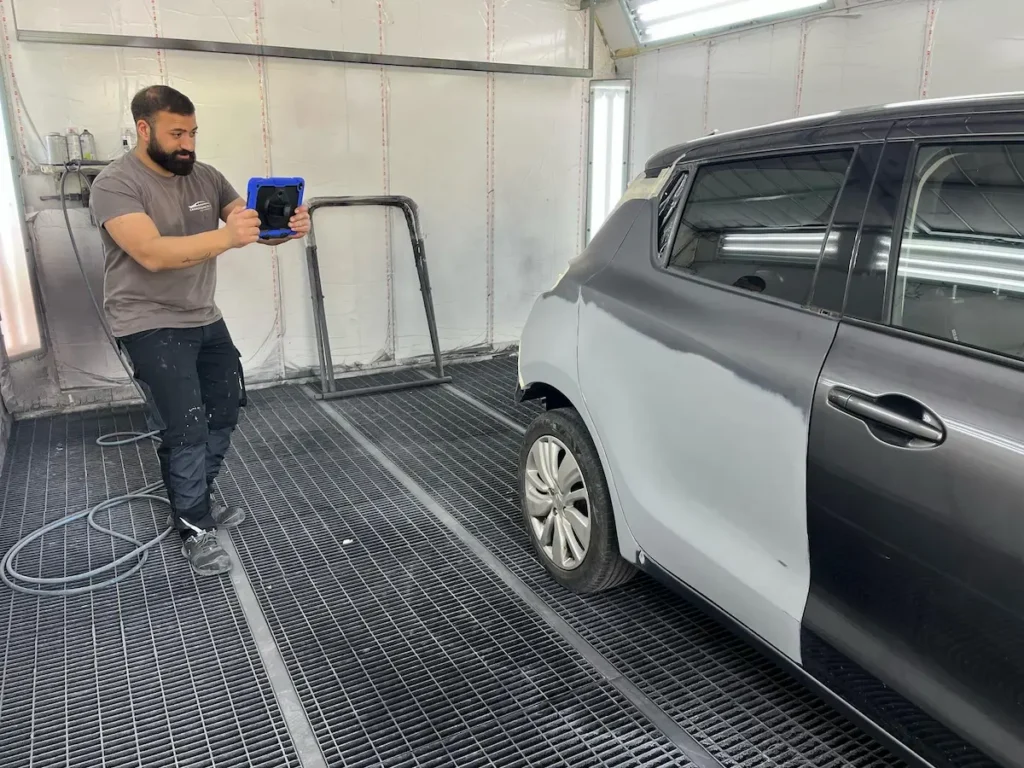
In a paperless body shop, technicians check the jobs assigned to them on their tablet and update the progress of their stage as they work. The office sees these updates in real time, without walking down to the workshop.
In practice, the tablet replaces the job sheet. The panel beater sees the day’s dismantling jobs, the painter their prep work and booth slots. When a stage is finished, they flag it, and the file moves on for the next station and for the office.
A good tool does not show everything to everyone. In Carform, the office decides what each technician sees: only the jobs that concern them (dismantling, panel work, mechanical, paint, reassembly, diagnostics), without insurer exchanges or commercial information that has no place on their screen. That is the logic of body shop management software designed for the workshop as much as for the office.
Want to see this in your workshop? We will show you Carform in a demo tailored to your business.
Request a demoJob sheet and repair order: what goes digital
The job sheet is the document that follows the vehicle through the workshop: what needs doing, who does it, what has been done. The repair order is something else: the agreement signed by the customer that authorises the work and sets its scope. The first serves the team; the second commits the garage to the customer.
Both go digital, but not in the same place. The repair order is signed at reception, increasingly with an electronic signature. The job sheet lives in the workshop: that is what the tablet replaces. Add to that the check-in report at reception, with photos attached to the file, and the quality control checklist before handing back the keys.
The benefit goes beyond removing paper. Every step leaves a dated record in the file: who did what, when, with which photos. That traceability matters when an assessor asks for evidence, when a customer disputes something, or simply when you need to understand why a vehicle stayed two days too long.
Choosing a tablet that survives the workshop
A consumer tablet left on a workbench does not last long. Sanding dust, hands covered in filler, a fall from a bonnet: in a body shop, the hardware must be protected first. The criteria that matter are few.
A reinforced case and a screen protector to absorb knocks and overspray. A screen large enough, around 11 inches, to read a job or zoom into a photo without squinting. Wi-Fi that genuinely covers the whole workshop, otherwise updates never arrive. And profile-based access, so everyone logs in with their own account.

Then there is the question of numbers: one tablet per technician or one per station? One per station is often enough to start, as long as each person logs in. What matters most is that it sits where the work happens, not in the office. For a fixed screen shared by the whole team, a workshop touchscreen kiosk is the other option.
That is the specification of the Carform workshop tablet: an 11-inch touchscreen in a reinforced case with a screen protector, delivered configured with the Carform interface pre-installed, and personalised access for each user.
Getting the team to adopt the tablet
A tablet gets adopted when it saves the technician time from the first week. If it adds data entry without giving anything back, it ends up in a drawer.
Start with a single step, the one where paper hurts most. Often it is the check-in report: on paper, you cannot prove a scratch was already there. With a time-stamped photo attached to the file, the question no longer arises. Once that habit is in place, moving jobs onto the tablet follows more naturally.
Then give everyone an account, show them only their own jobs, and train them at their workstation rather than in a meeting room. The workshop manager plays a key role: if they run the schedule from the screen, the team follows.

At CDA Carrosserie, the switch started with check-in reports for courtesy cars. Before, everything was on paper, and a dent or scratch came down to one person’s word against another’s. Today, check-in reports are done with photos on the way out and on return, and the trained drivers each have their own account and jobs.
“What saves us is that with small disputes, we can immediately trace the check-in report from drop-off. It has saved us a lot of trouble.”
Taoubène, courtesy car fleet and drivers manager, CDA Carrosserie (video in French, quote translated)
Where to start on Monday morning
A paperless body shop does not happen overnight. List the paper documents in circulation today, pick the one that causes the most lost time or disputes, equip the relevant station, then expand step by step.
After a few weeks, the question will no longer be where the sheet went, but what the workshop does with all this information finally available in one place.
Equip your technicians and track every repair without paper
Request a demoFAQ: paperless body shop
What workshop managers ask before moving to tablets